Buttons and layers
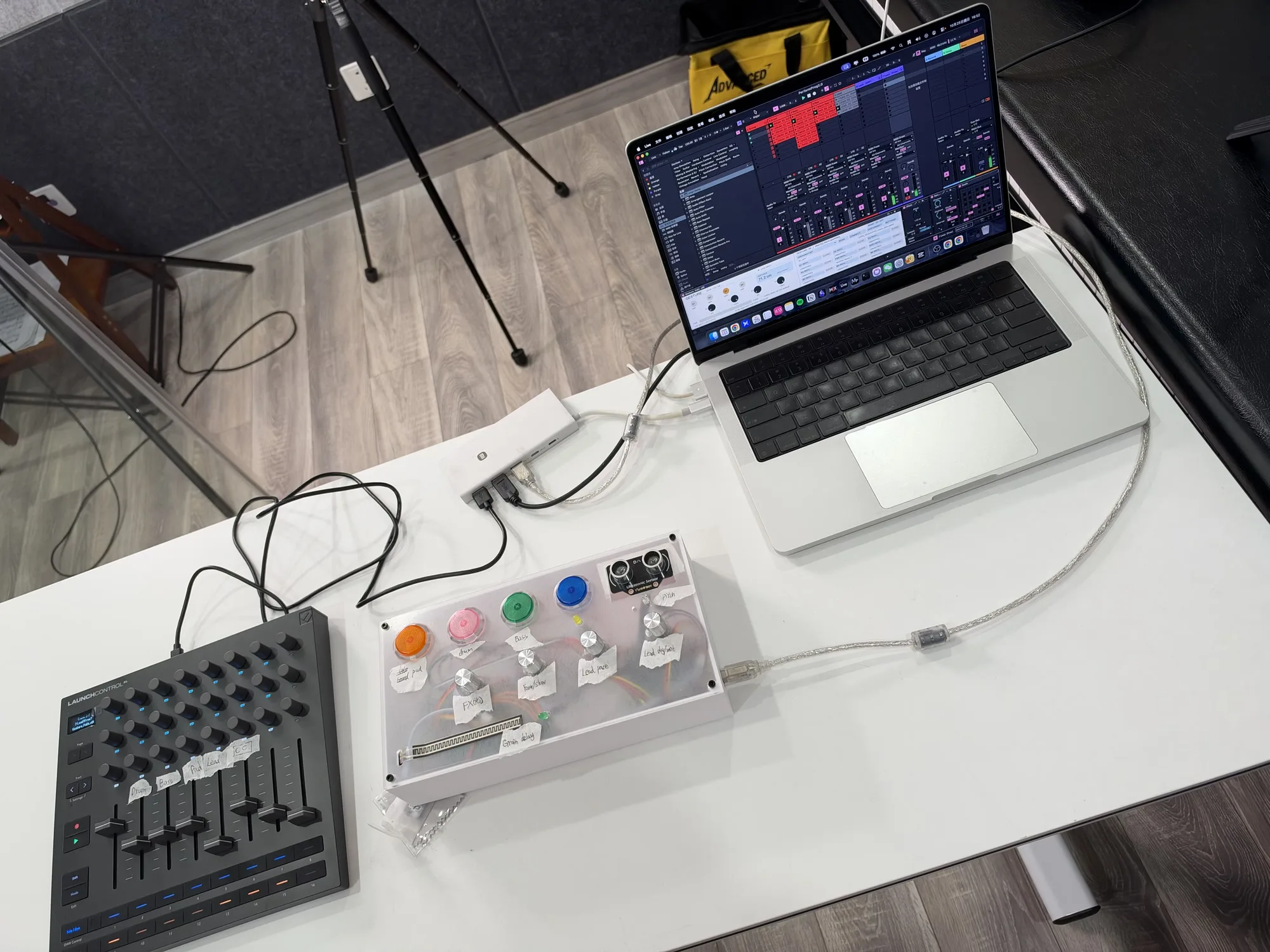
Three coloured buttons add or remove Pad, Drum and Bass; B4 triggers Stutter and Random.
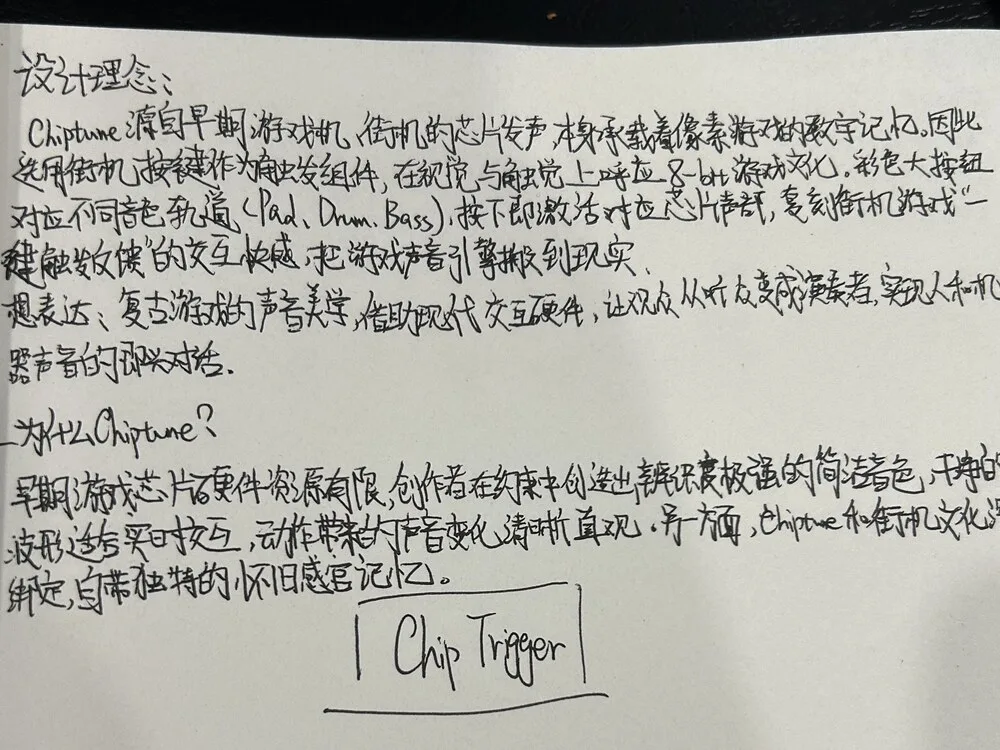
A Gestural MIDI Controller
体感 MIDI 控制器
A DIY controller for shaping electronic music through pressure, hand movement, buttons and knobs.
It connects to Ableton Live through Arduino and Max for Live.

Select a thumbnail, swipe, or use the left and right arrow keys.
Motivation
My experience playing the violin made me interested in how small physical changes can affect a sound. While exploring MIDI controllers, I wondered how I could bring more of this kind of control into electronic music.
Learning about the theremin introduced me to playing through movement in space. I used an ultrasonic sensor to read hand distance and an FSR to connect pressure with changes in timbre.
I was born in 2009, so the sounds and colourful buttons of older games were a new discovery for me rather than a childhood memory. Chip Trigger brings these interests together in a controller I could build and perform with.
The violin and the theremin are starting points for the interaction, not emulations of either instrument.
Three coloured buttons add or remove Pad, Drum and Bass; B4 triggers Stutter and Random.
Pressure shapes two sound routes; distance chooses quantised notes.
Prepared loops and live gestures are shaped together in performance.
02 / Performance
A single continuous performance, filmed with multiple cameras and an OBS screen capture, moving from a freestyle opening through two arranged sections, a climax, a return and a closing section.
Role of the instrument
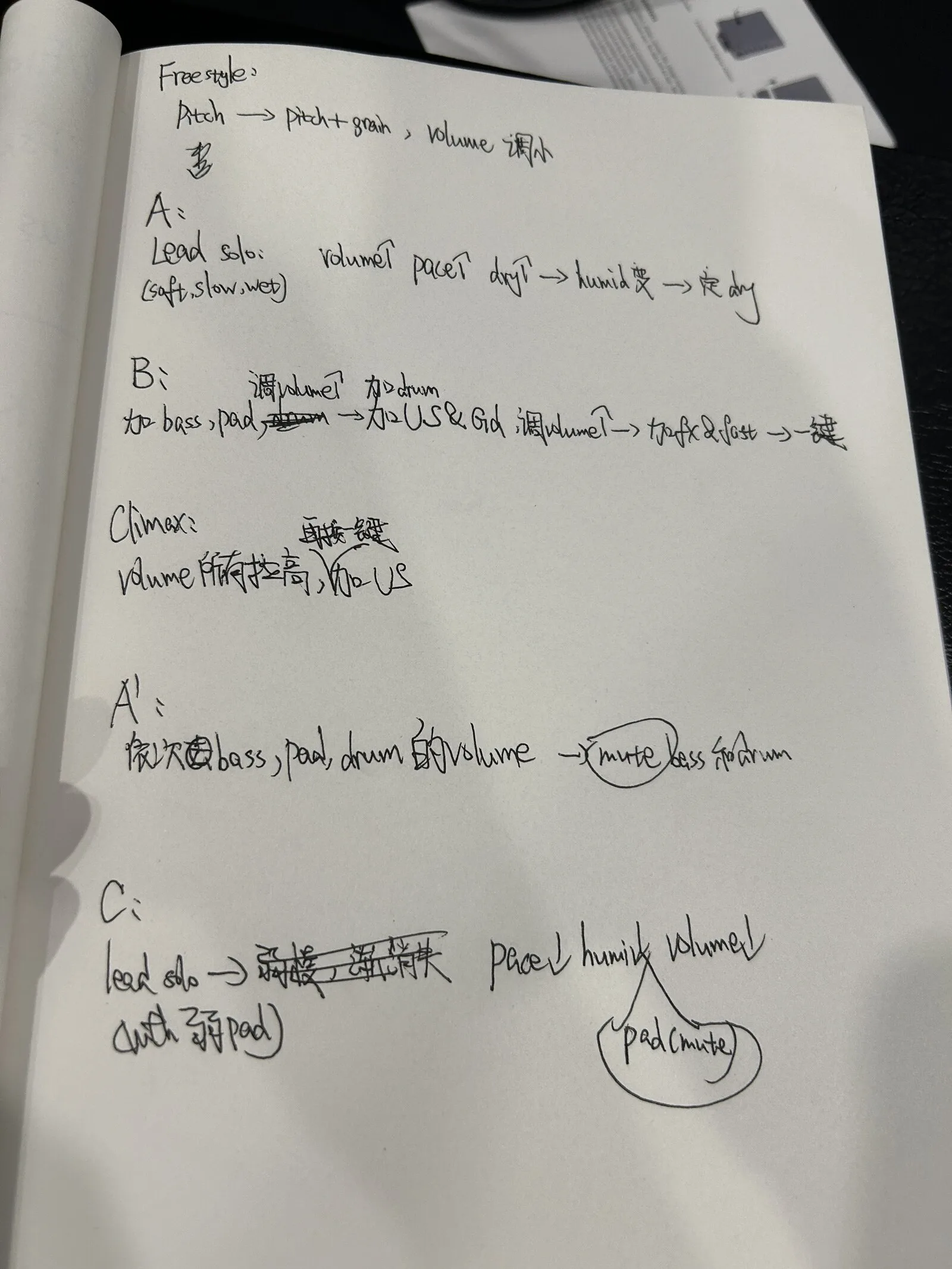
The controller shapes an existing arrangement: it brings layers in and out, changes effect blends and timing, and plays melodic gestures. This performance uses a prepared Ableton Live Set with manually configured mappings.
What to watch
Follow the hand between the panel, the pressure strip and the distance sensor while the Live screen responds.
Movement map
Select a movement to load and seek the film; scroll the bar to see all six.
Inside B · performance sequence
This sequence describes the B section; the movement runs from 01:41 to 02:38.

03 / Interaction
Arcade buttons change what is playing. Knobs change effect blends and timing; the FSR shapes two sound routes, and distance selects quantised notes.
Primary control relationship
Swipe horizontally to read the full mapping.
| Control | Target | Musical result |
|---|---|---|
| Discrete · arcade buttons | ||
| B1 Pad | Pad track | Adds or removes the Pad layer. |
| B2 Drum | Drum group | Adds or removes the Drum group. |
| B3 Bass | Bass track | Adds or removes the Bass layer. |
| B4 FX | Group → Stutter Tool | Engages the Stutter and Random macro; the audible result is rhythmic chopping and reordering. |
| Knobs and sensors · continuous control and quantised notes | ||
| K1 Group FX | Group effect macro | Blends four effects: Acid Distortion, A Bit Warmer, Chiptune Filter and 8DotBall. |
| K2 Rate / delay | Sample rate + L Delay Time | Slow-motion, tape-like timing colour. It does not change the Session tempo. |
| K3 Arp division | Lead arpeggiator → Division | Changes the arpeggiator division. |
| K4 Lead delay | Lead → Delay → Dry/Wet | Changes the dry/wet blend of the Lead delay. |
| FSR Pressure | Serum brightness + Borg / Delay | One serial value feeds two tracks: Serum brightness, and a second route through A Model D Ford → Borg → Delay. FSR is mapped to Borg Frequency, Borg Pitch and Delay L Delay Time. The unused track is turned down in the mixer. |
| DIST Distance | Hand distance → MIDI notes → Ableton Scale | Arduino sends distance readings to Max for Live, which converts them into notes from a major scale. Ableton’s Scale effect then maps these to a major pentatonic scale. |
| Support · third-party hardware | ||
| LCXL Mix / mute | Launch Control XL | Mixer levels and mutes in Ableton Live. Not part of the custom build. |

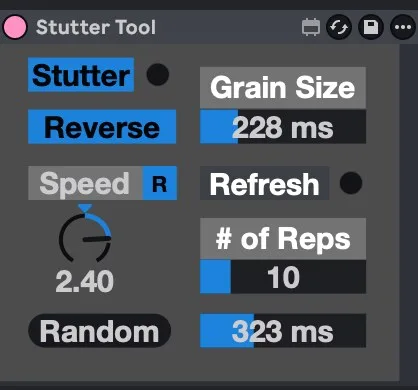
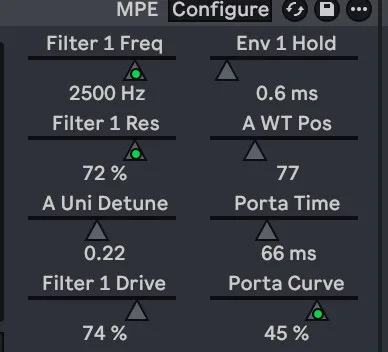


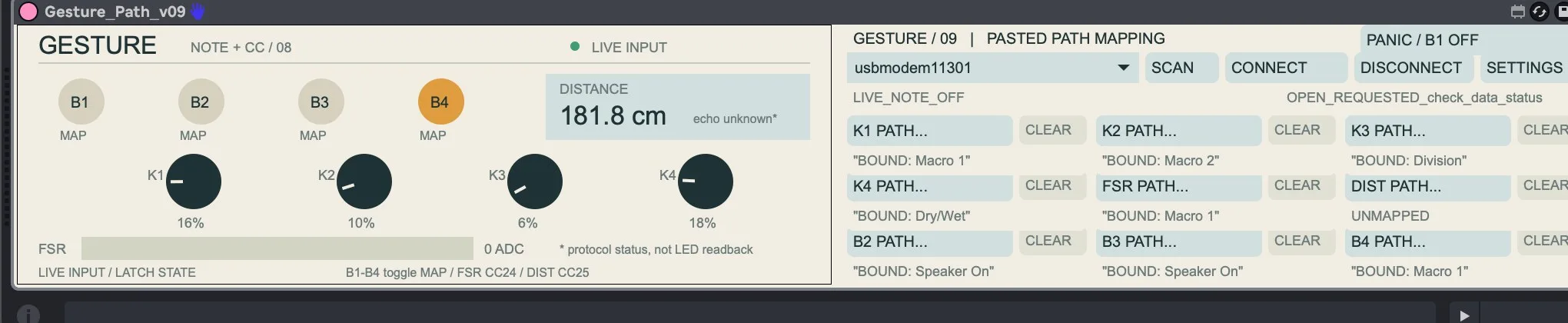
Mapping reflects the B Session and Gesture Path V9. K3 is bound to Division. The hand-written “Humidity” label means effect dry/wet balance, not an environmental sensor. Select any figure to enlarge it.
04 / System
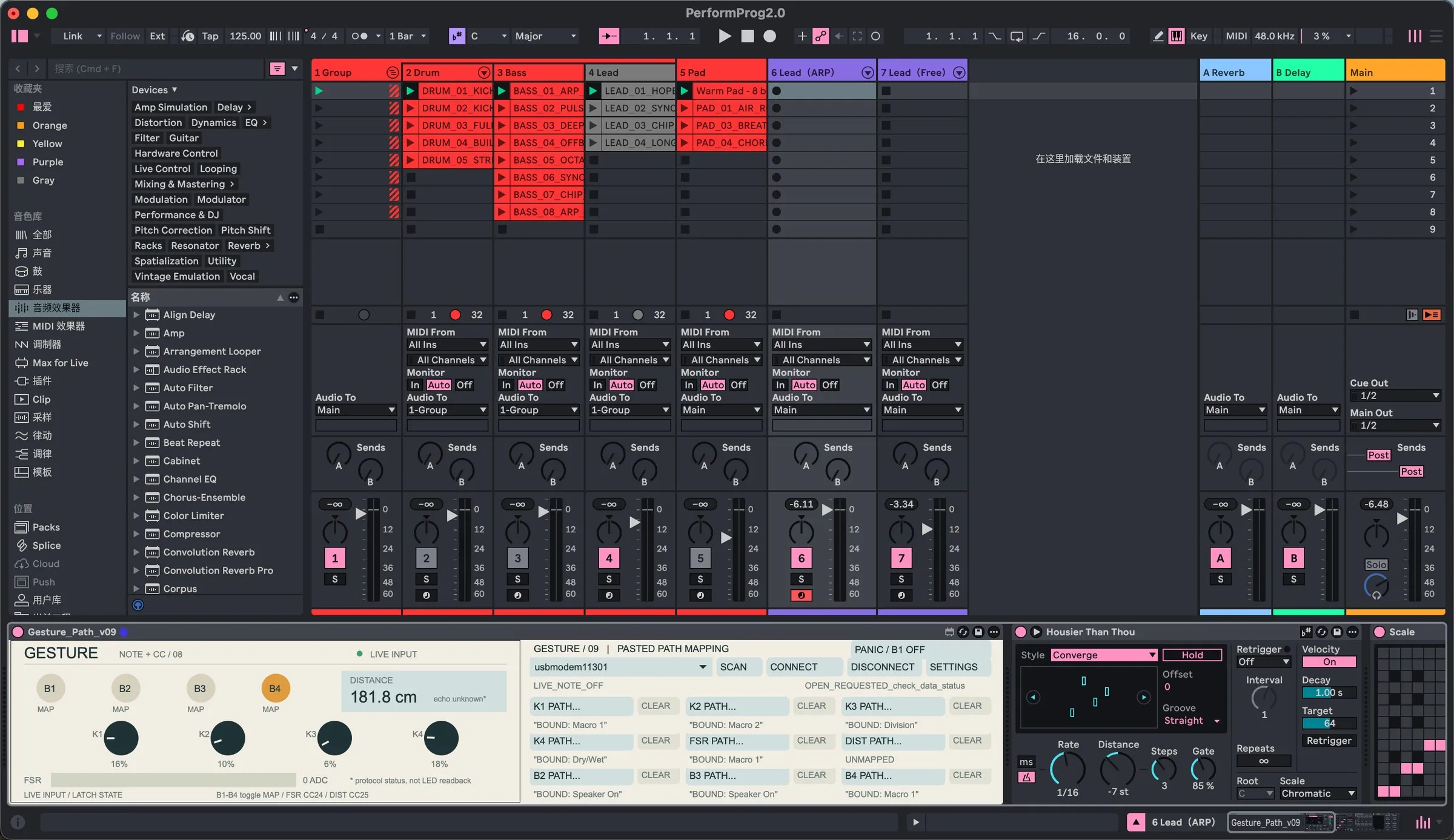
The Arduino sends serial data over USB rather than class-compliant MIDI; Max for Live converts the data into parameter changes and MIDI notes. Pressure feeds two sound-shaping routes, distance selects notes, and the controller shapes a prepared Session rather than producing sound on its own.
01 · Physical input
Four arcade buttons, four knobs, one FSR strip and one ultrasonic sensor.
02 · Microcontroller
Reads the panel and sends a 10-field serial message over USB.
03 · Software
Parses and smooths the data, then converts the data into parameter changes and MIDI notes.
04 · Ableton Live
Parameter changes shape track switches, effect blends and division.
Hand distance → MIDI notes → Ableton Scale
Arduino sends distance readings to Max for Live, which converts them into notes from a major scale. Ableton’s Scale effect then maps these to a major pentatonic scale.
PerformProg2.0 · 125 BPM · 21-part MIDI library
Separate path
Mixer levels and mutes in Ableton Live. Not part of the custom build.
05 / Development
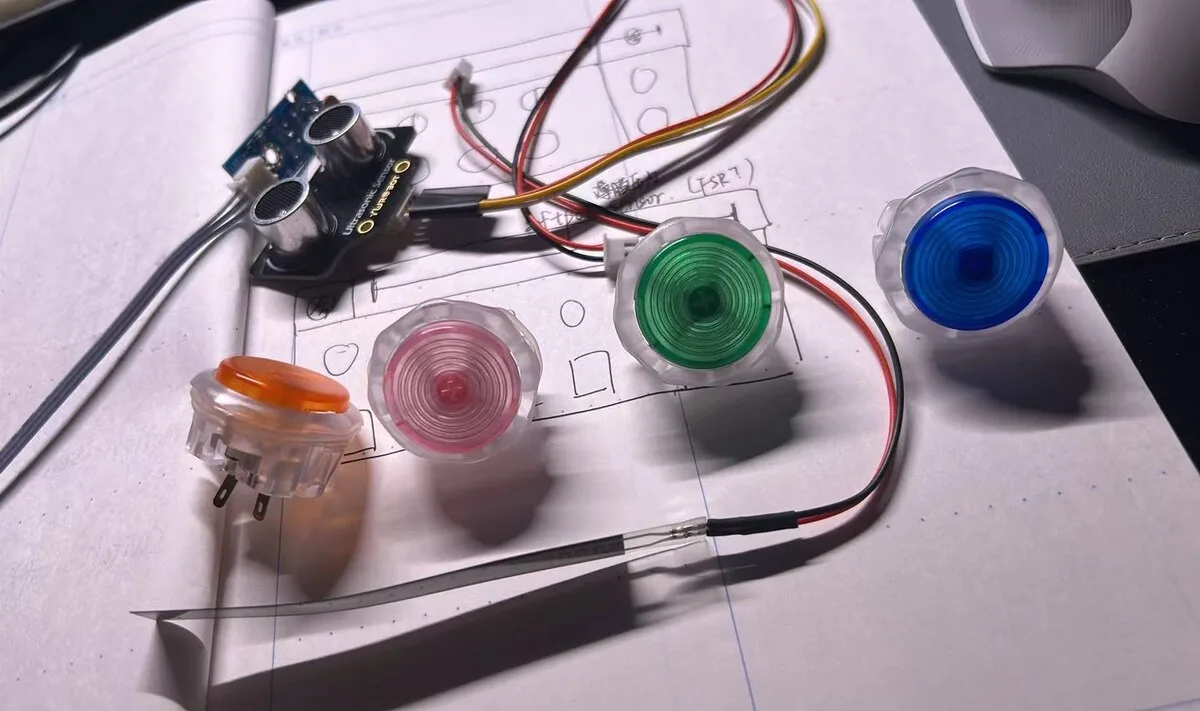
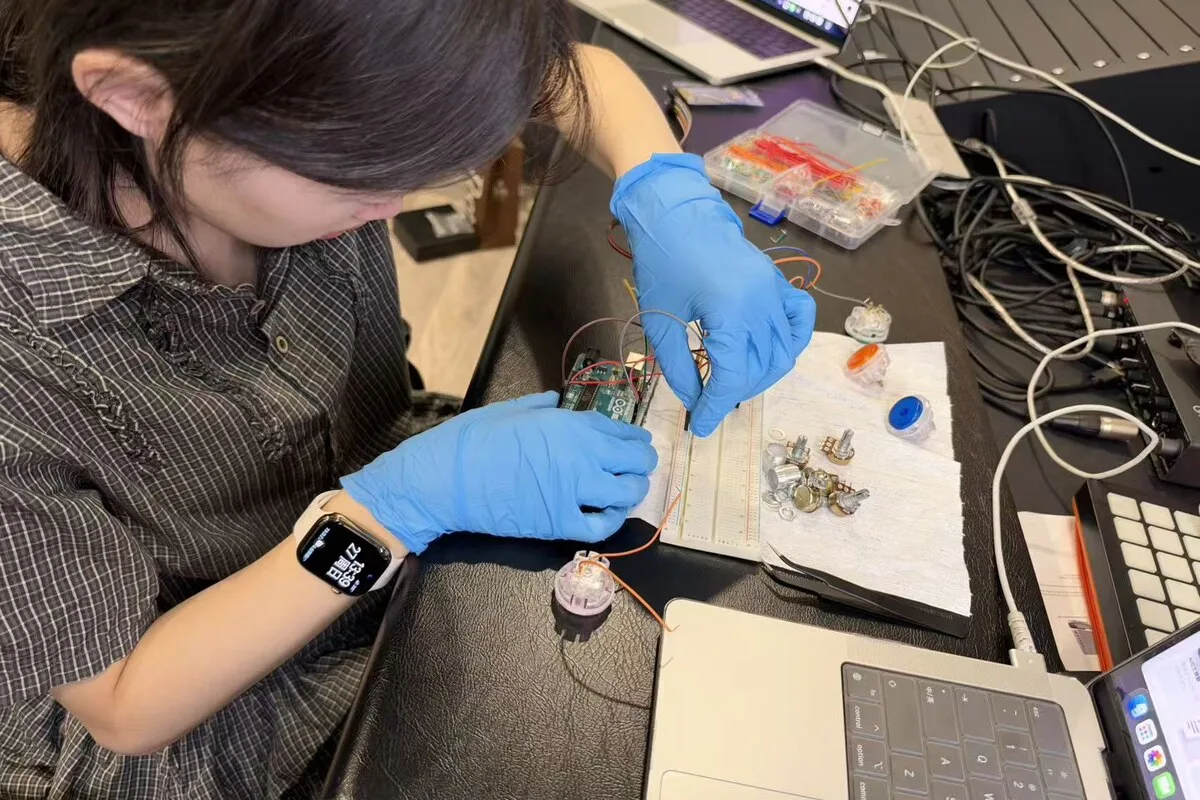
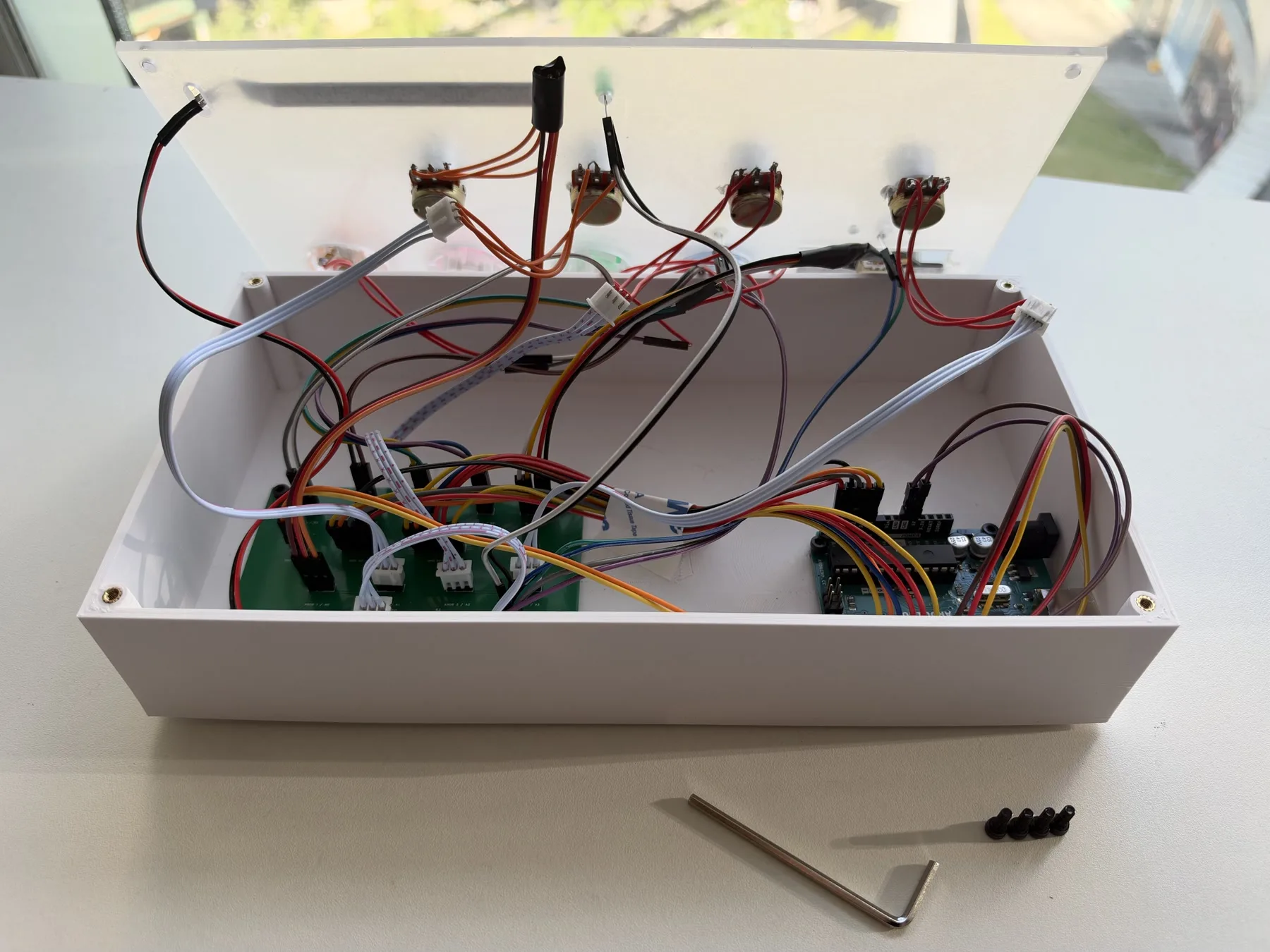
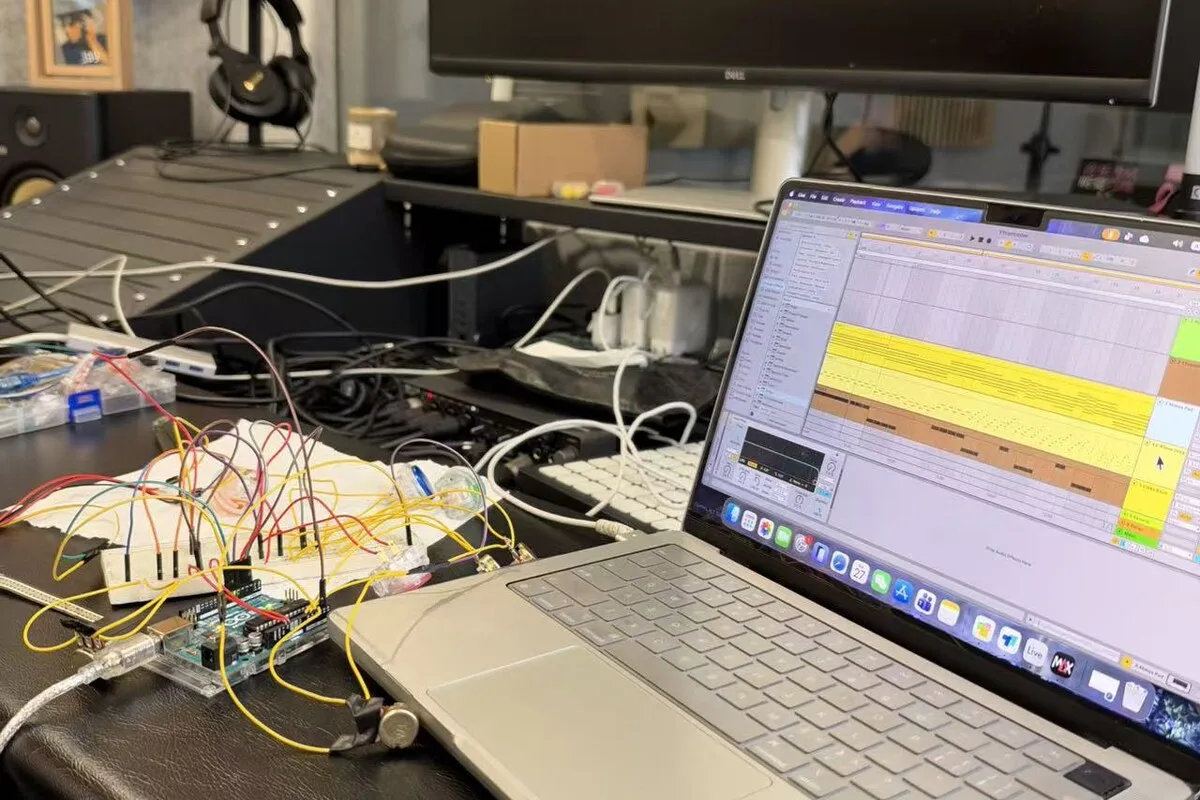
The instrument was developed across layout experiments, a breadboard prototype, shell and wiring, and the Max for Live control layer.
Process
Selected moments from layout experiments, prototyping and assembly.
Shell and electronics
The printed shell holds the panel, the carrier board and the wiring. Potentiometers sit in the lid; the Uno and connectors sit inside.
I drew the outer form and control layout, and took part in prototyping, soldering, wiring, assembly and testing. Zøe Qiang provided technical guidance and practical assistance, including Fusion modelling, PCB shield layout, soldering support, printing and the acrylic panel order.
Build Shell printed; panel fitted.

Interface
I used pasted Live Object Model paths to bind controls to chosen parameters across tracks.
Mapping is not yet recalled. Reopening the device means rebinding the controls.
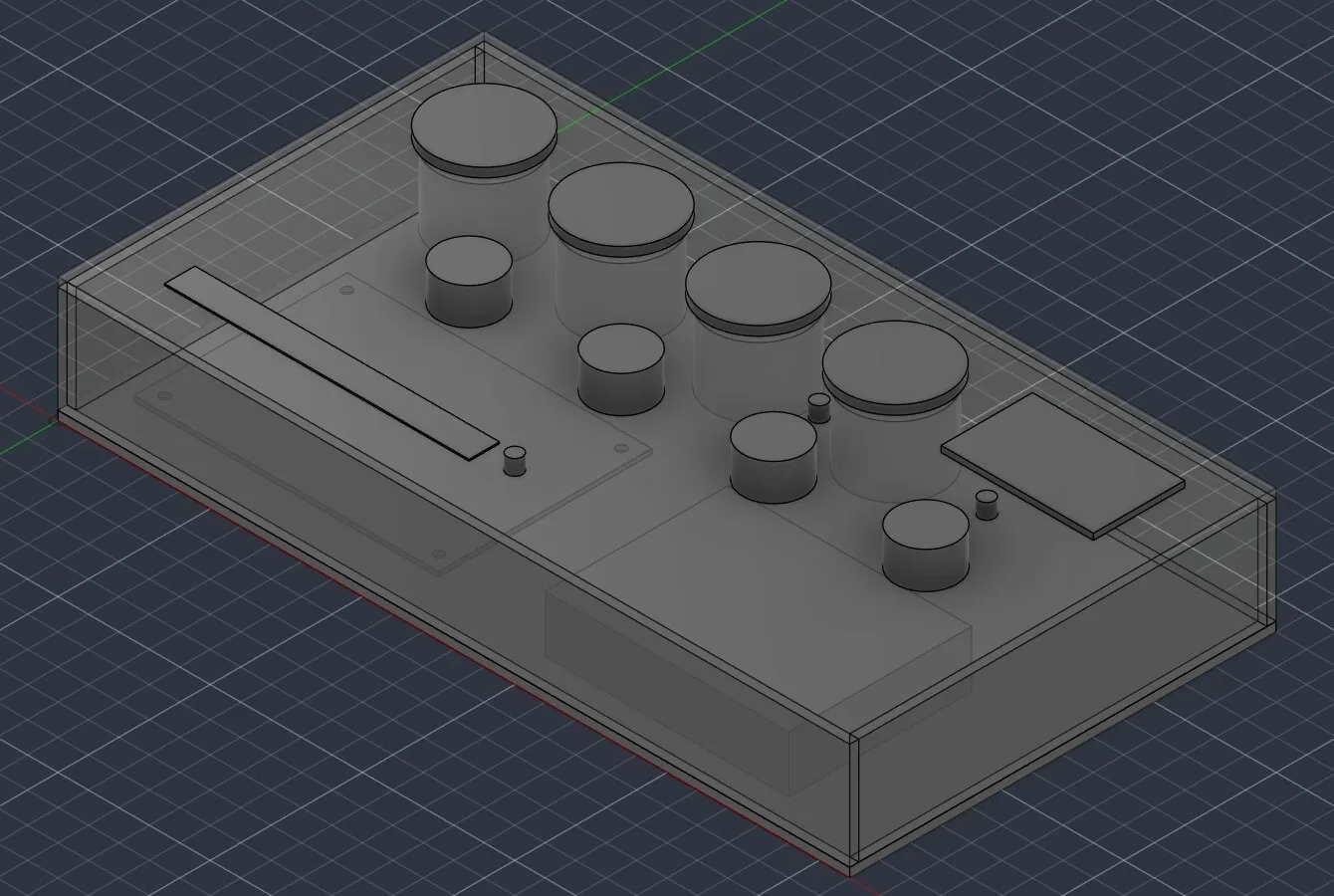
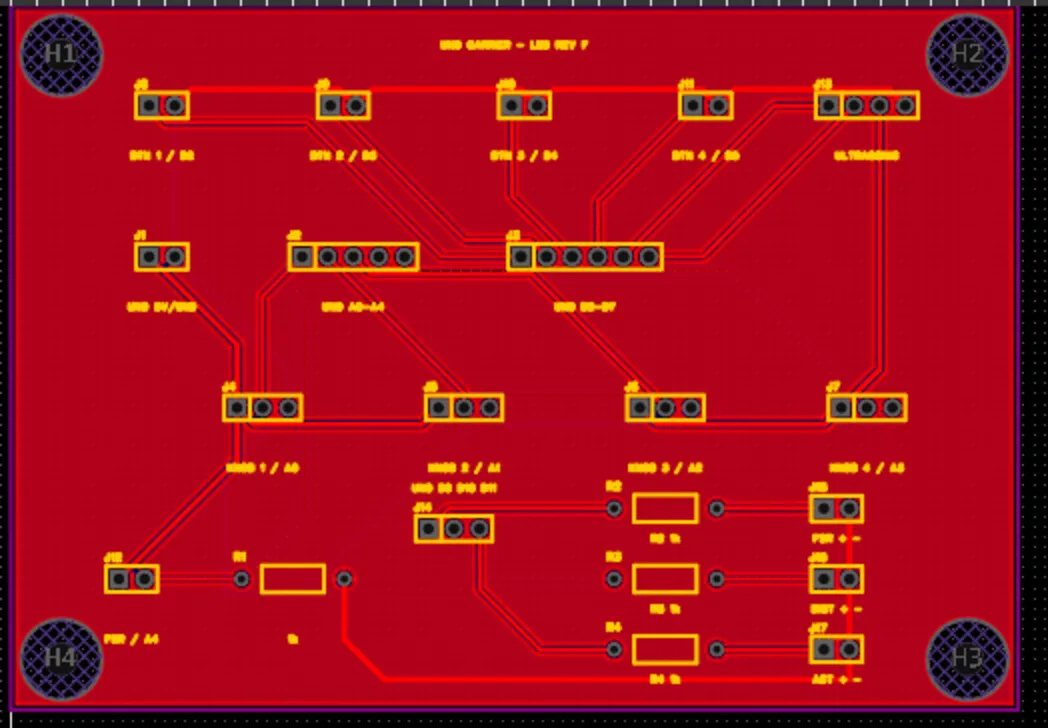
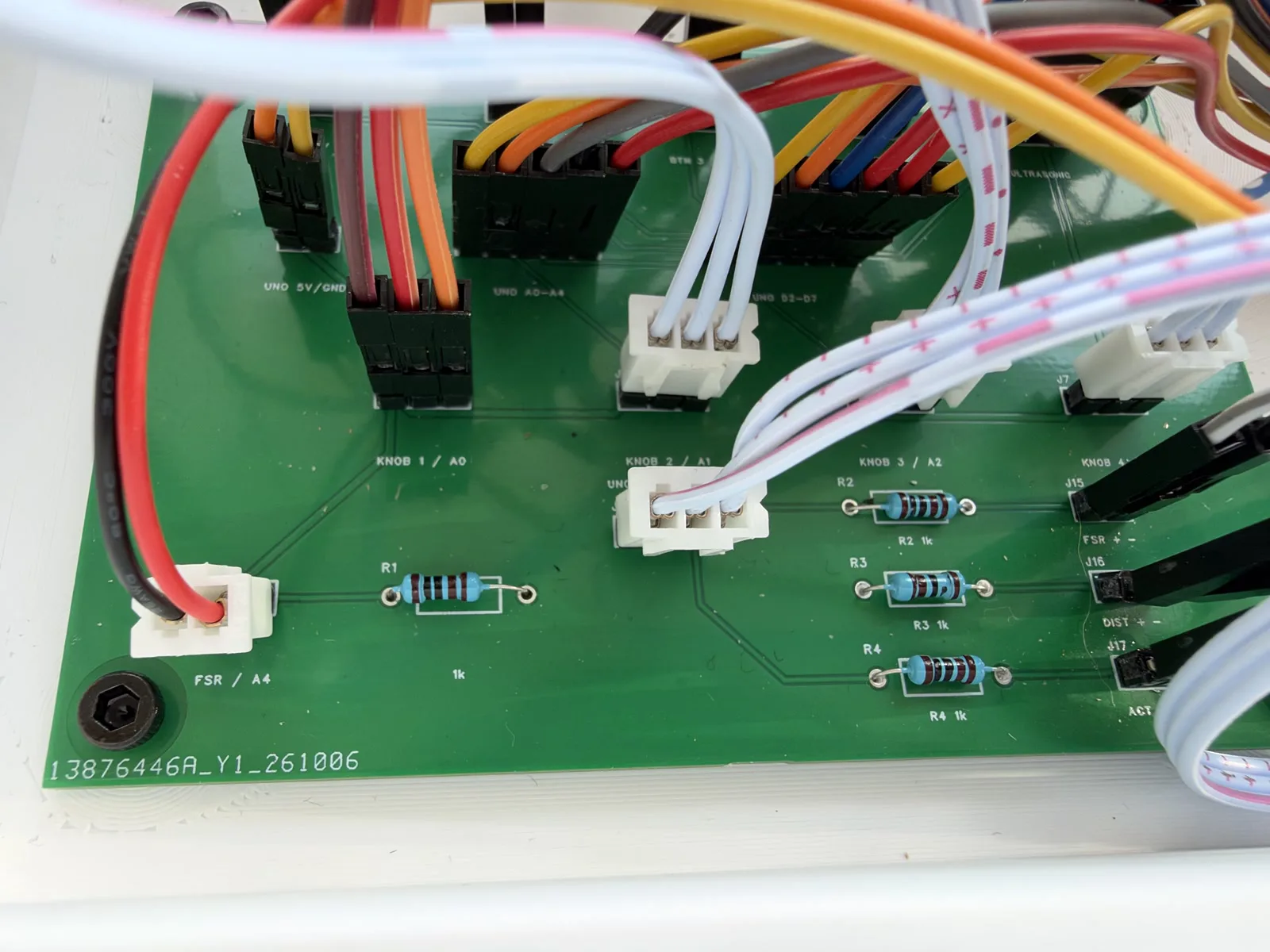
Fusion source: RevA_DRAFT; PCB: RevF. Form and control layout by YoYo Yu; Fusion modelling, PCB shield layout, printing and acrylic panel sourcing with Zøe Qiang.
Form
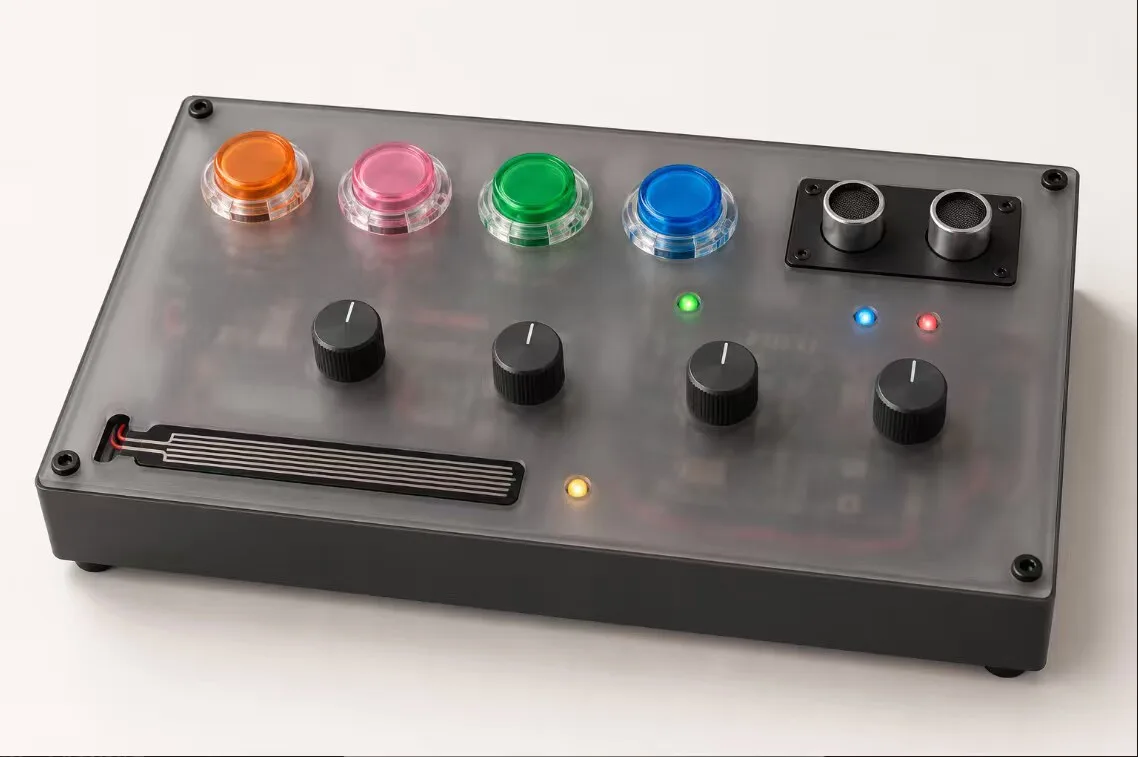
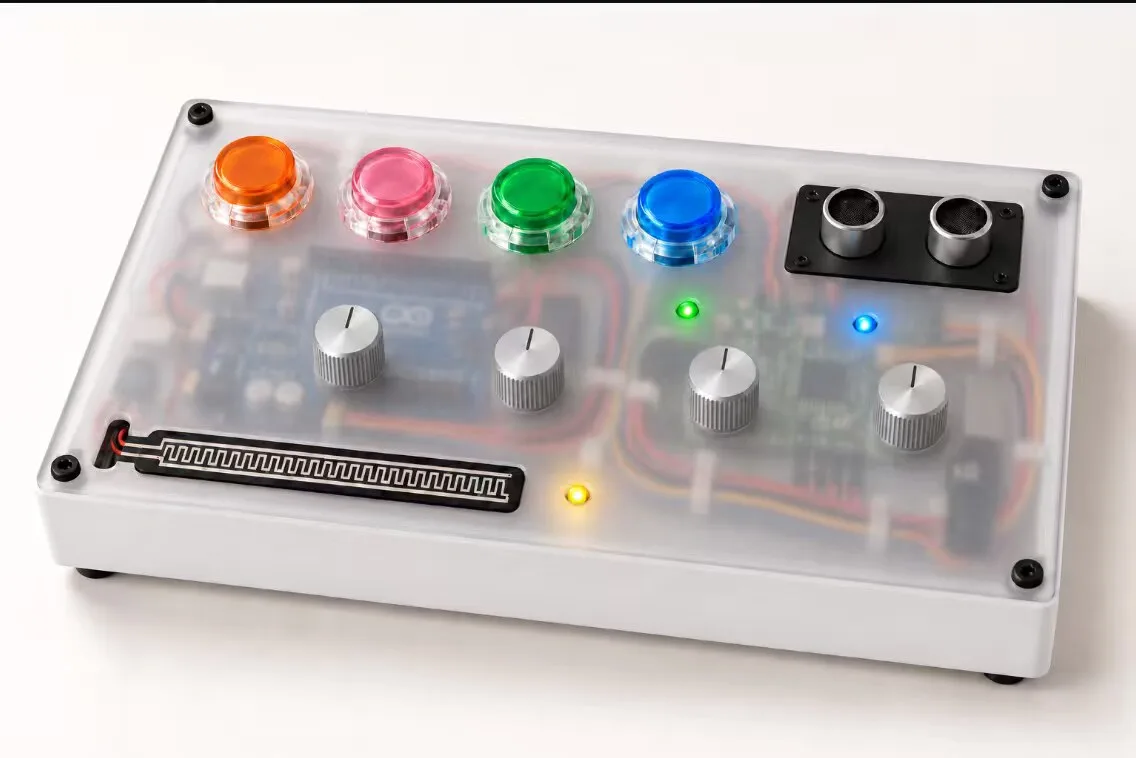
Two colour studies were made before printing. Both kept the four coloured buttons; the white version was used for the build. These are renders, not photographs.
Enclosure
Firmware
Session
06 / Reflection
Sensor readings sometimes drift, so the same gesture does not always produce the same musical result. Improving that stability is the main priority for the next iteration.
Next steps
Credits
Concept, interaction design, music and performanceYoYo Yu
I developed the concept, interaction design, music and performance, and took part in prototyping, soldering, wiring, assembly and testing, with technical guidance and practical assistance from Zøe Qiang.
Support — Zøe Qiang:Fusion modelling, PCB shield layout, soldering support, enclosure printing, acrylic panel sourcing and programming guidance
Completed26 October 2026
Provenance
AI coding agents assisted with debugging and implementing the portfolio website. No generative music tools were used to create the music.
Third-party software, packs and samples are listed below. The Stutter Tool is a Max for Live effect used for the B4 macro.
Devices and sample sources listed as used in the recorded session.
Portfolio PDF
8-page A4 landscape edition, with selectable text and embedded fonts.